






依據歐盟施行的個人資料保護法,我們致力於保護您的個人資料並提供您對個人資料的掌握。
按一下「全部接受」,代表您允許我們置放 Cookie 來提升您在本網站上的使用體驗、協助我們分析網站效能和使用狀況,以及讓我們投放相關聯的行銷內容。您可以在下方管理 Cookie 設定。 按一下「確認」即代表您同意採用目前的設定。
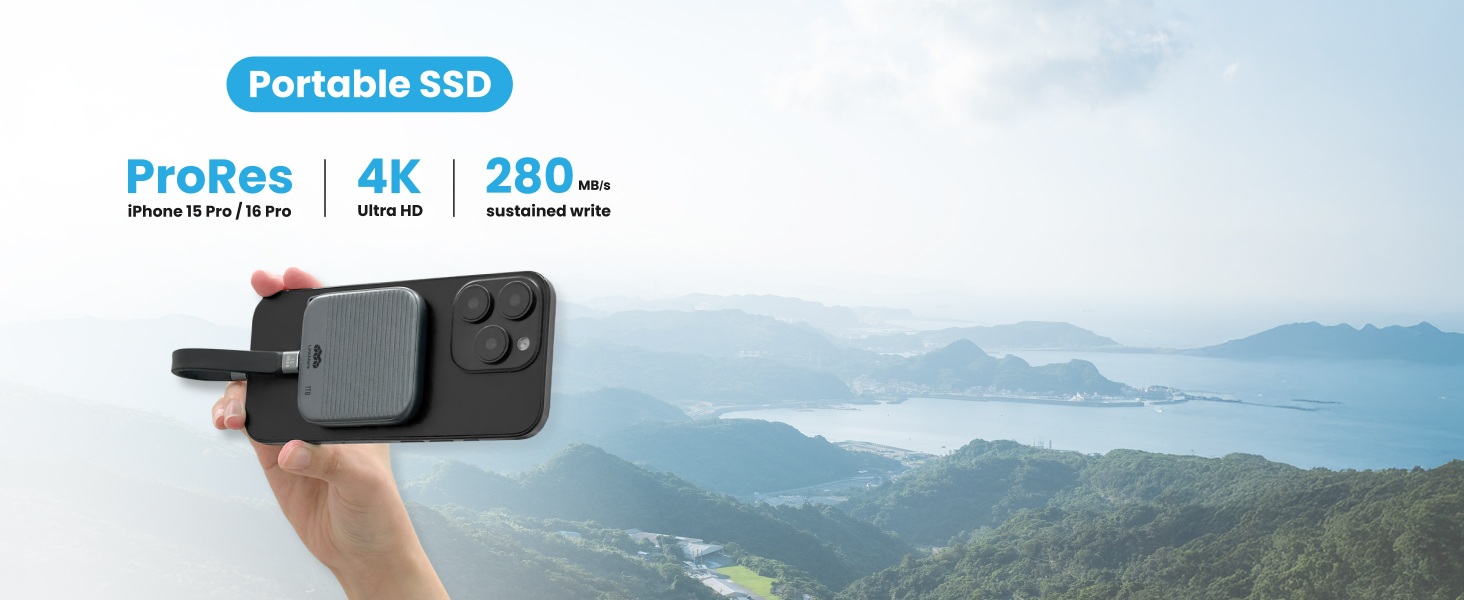
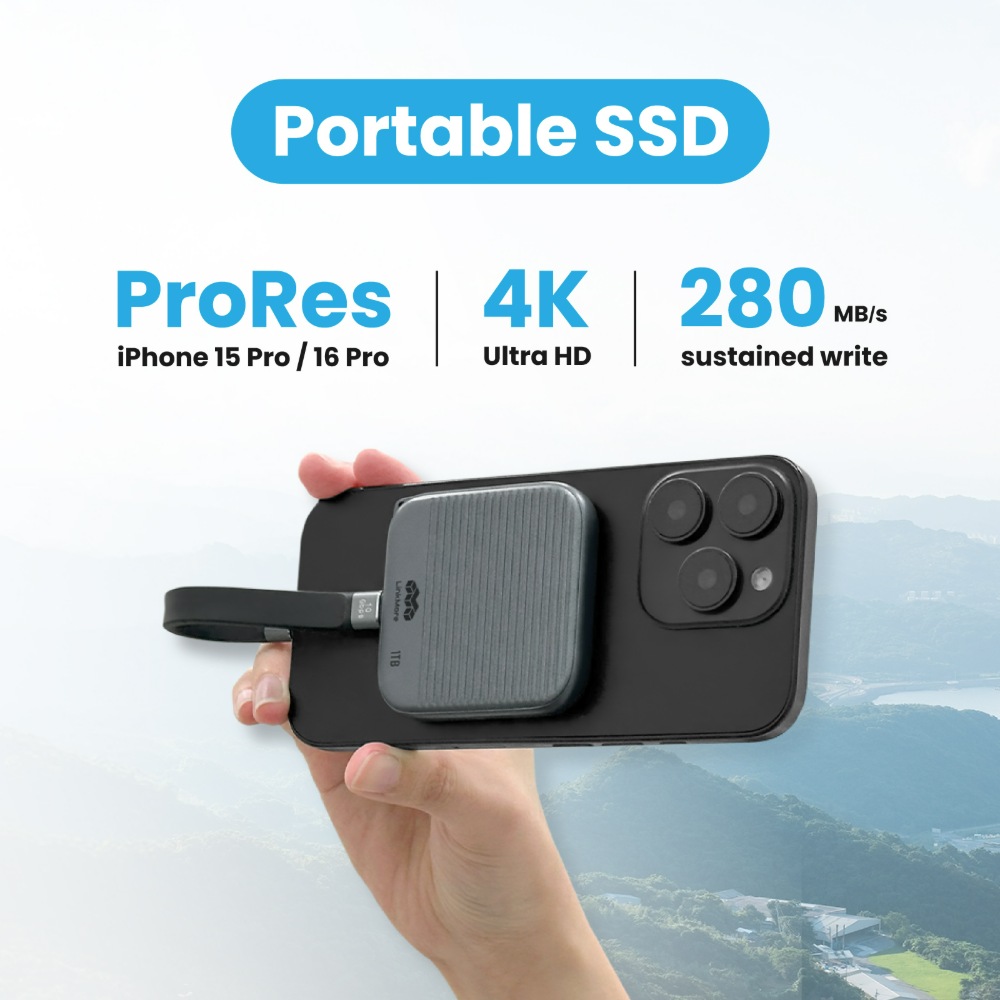
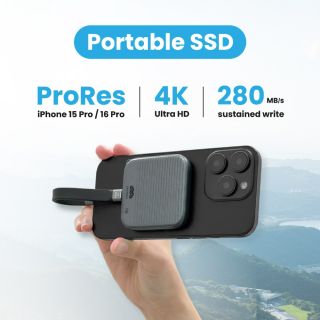
Smooth 4K & ProRes Recording
Record 4K or ProRes video without dropouts. NR P100’s 280MB/s sustained write speed lets you shoot longer, smoother, and never miss a moment.
Smooth 4K & ProRes Recording
Record 4K or ProRes video without dropouts. NR P100’s 280MB/s sustained write speed lets you shoot longer, smoother, and never miss a moment.
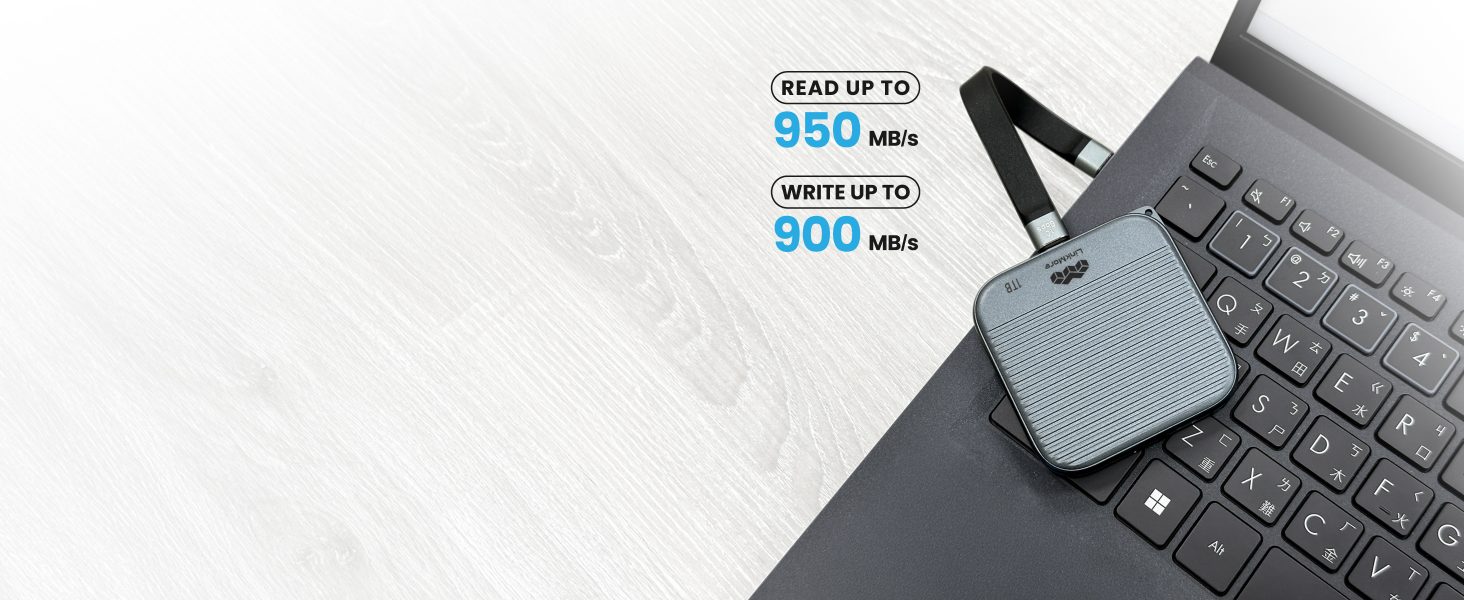
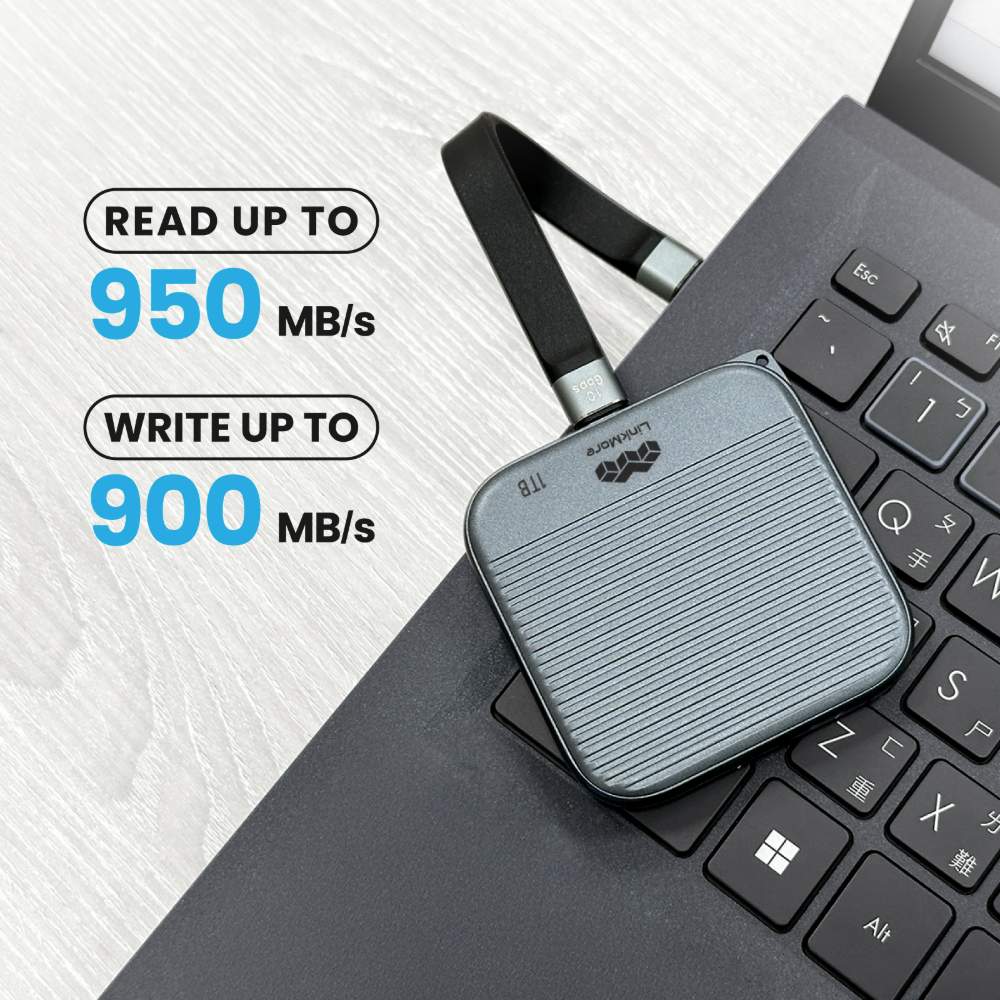
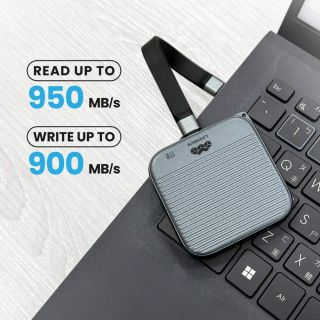
Instant Video Backup
Transfer footage instantly with up to 950 MB/s read and 900 MB/s write. Skip the cloud—save and edit your videos right away.
Instant Video Backup
Transfer footage instantly with up to 950 MB/s read and 900 MB/s write. Skip the cloud—save and edit your videos right away.

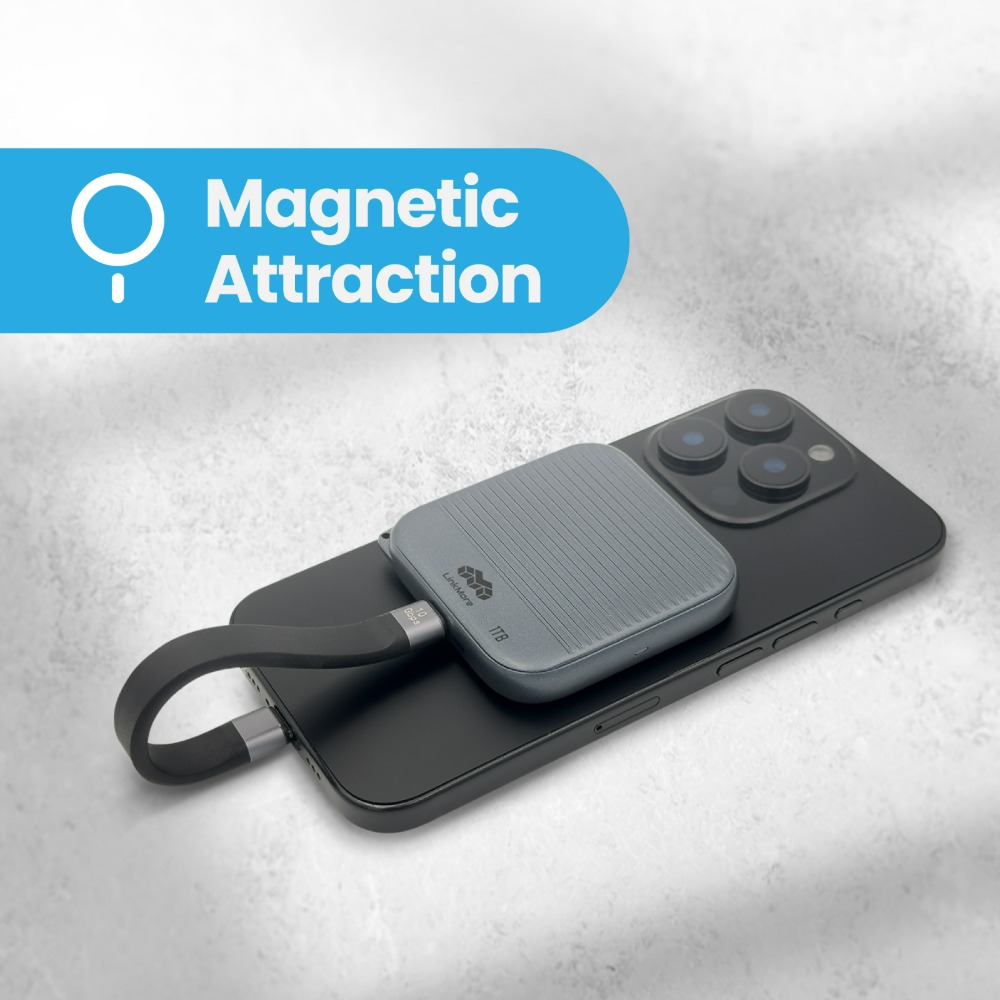
Magnetic USB-C, Made for Filming
Magnetic USB-C makes video recording faster and smoother. Just snap to connect—no fumbling, no lag, just seamless shooting.
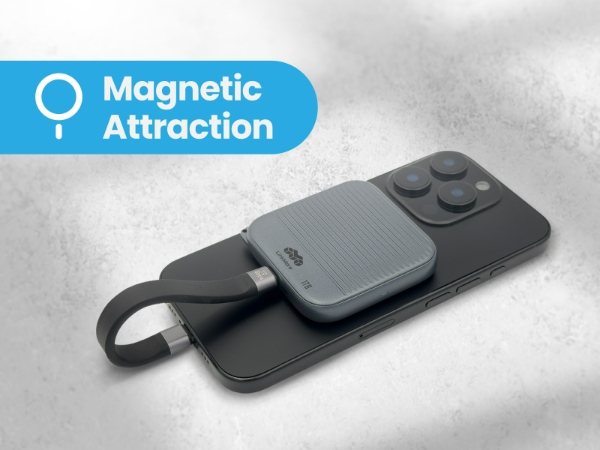
Magnetic USB-C, Made for Filming
Magnetic USB-C makes video recording faster and smoother. Just snap to connect—no fumbling, no lag, just seamless shooting.
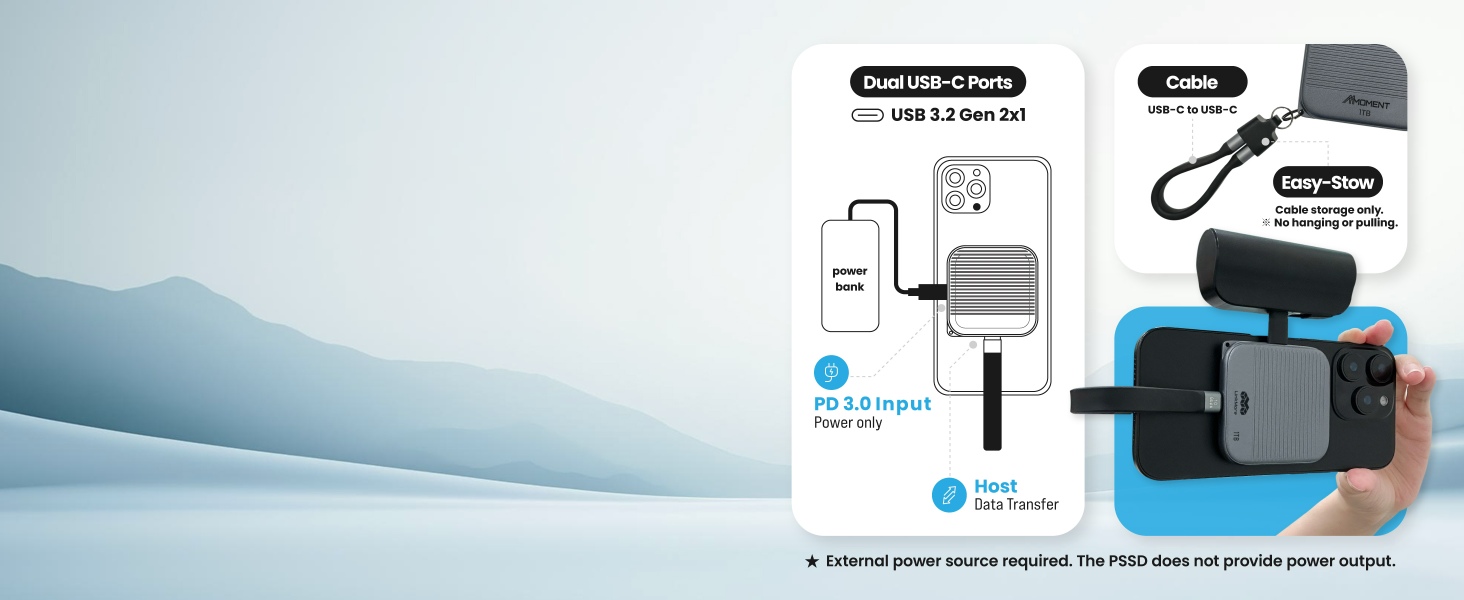
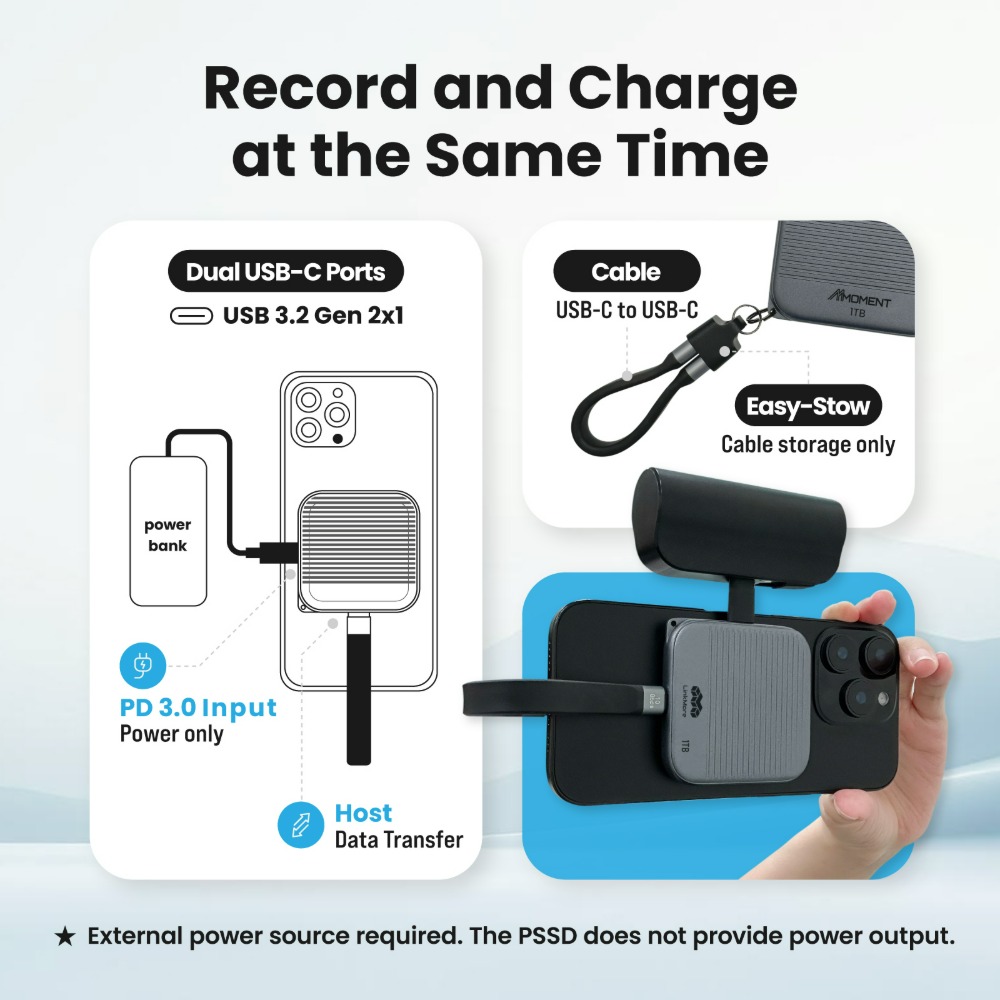
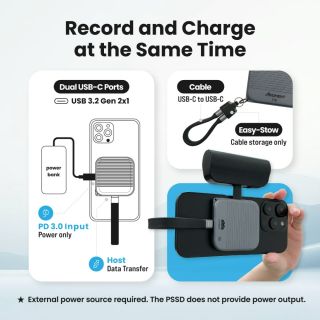
Record and Charge at the Same Time
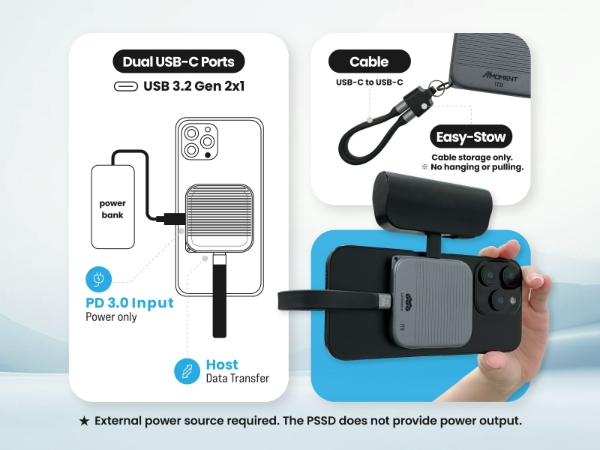
With dual USB-C ports, the NR P100 lets you power your phone while filming. Connect to a power bank for uninterrupted long shoots.
*External power source required. The PSSD does not provide power output.
Record and Charge at the Same Time
With dual USB-C ports, the NR P100 lets you power your phone while filming. Connect to a power bank for uninterrupted long shoots.
*External power source required. The PSSD does not provide power output.
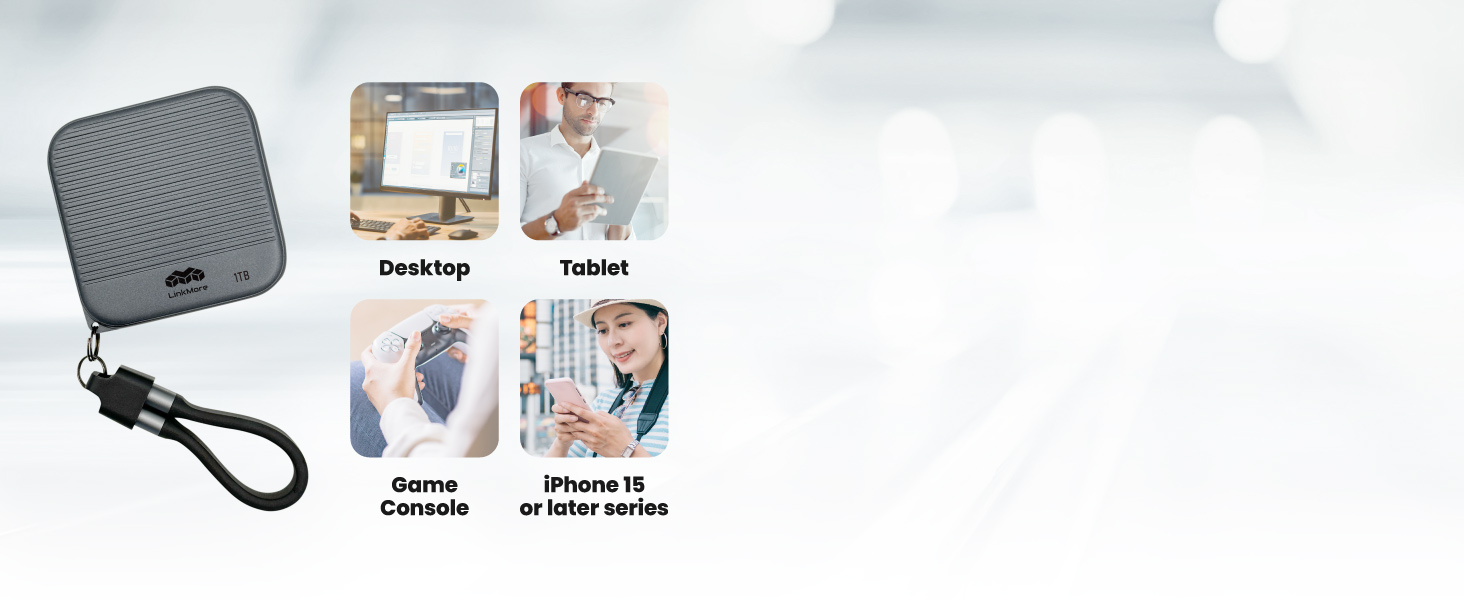
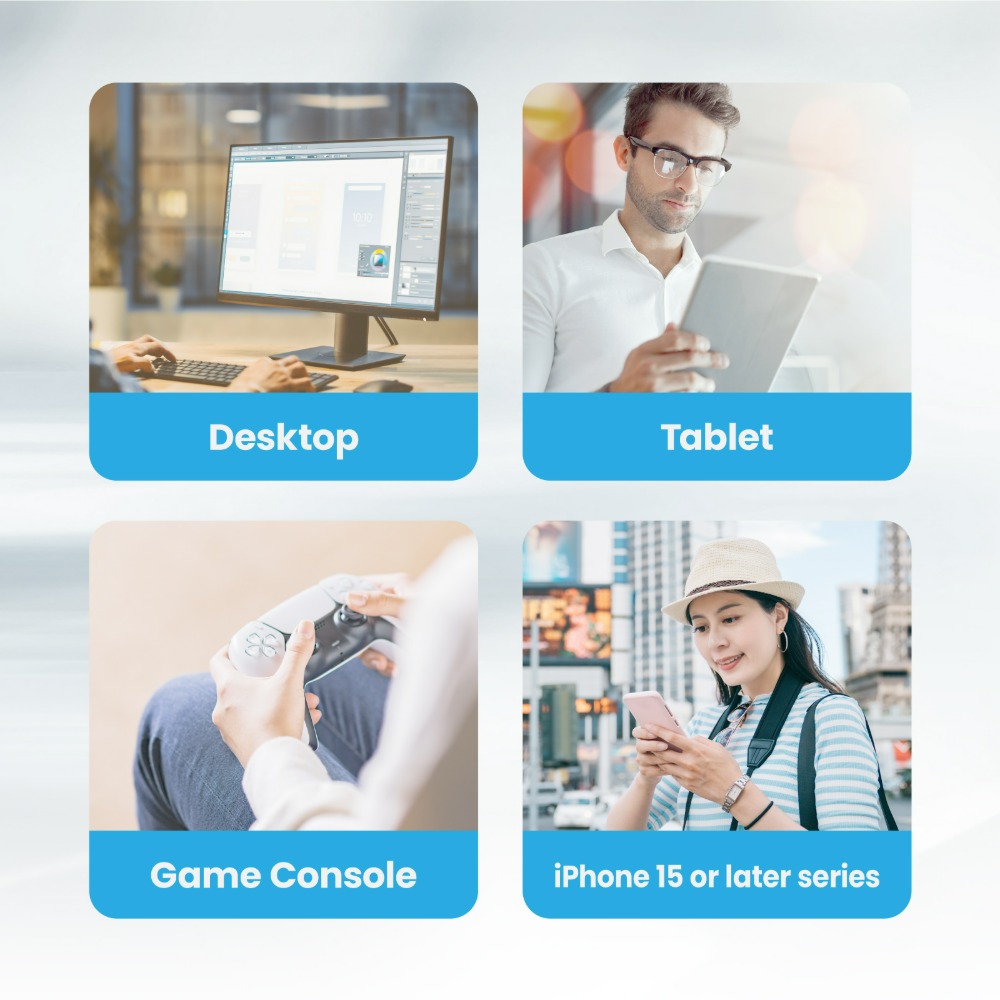
Universal Device Compatibility
Ready for gaming consoles, desktops, tablets, and iPhone 15 or newer models. One SSD for all your favorite devices.
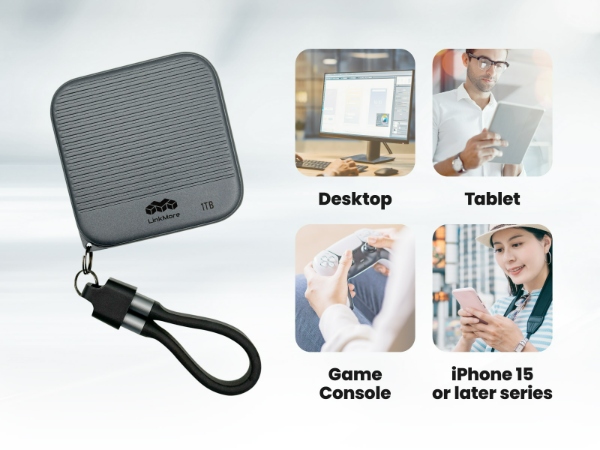
Universal Device Compatibility
Ready for gaming consoles, desktops, tablets, and iPhone 15 or newer models. One SSD for all your favorite devices.
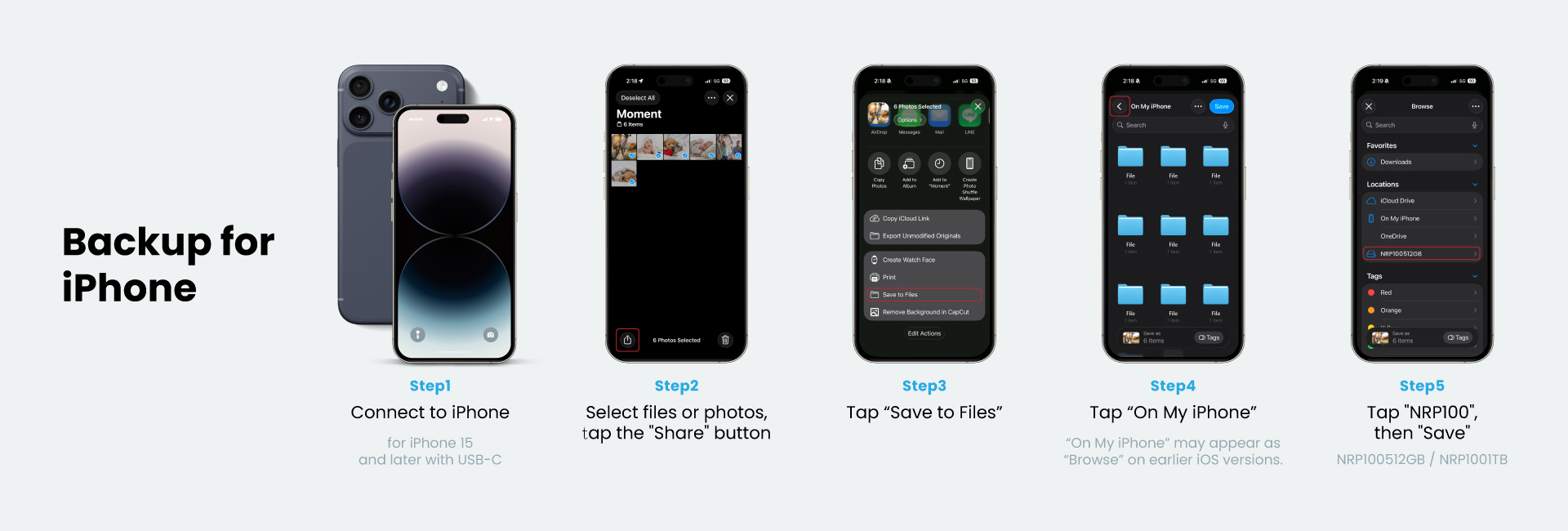
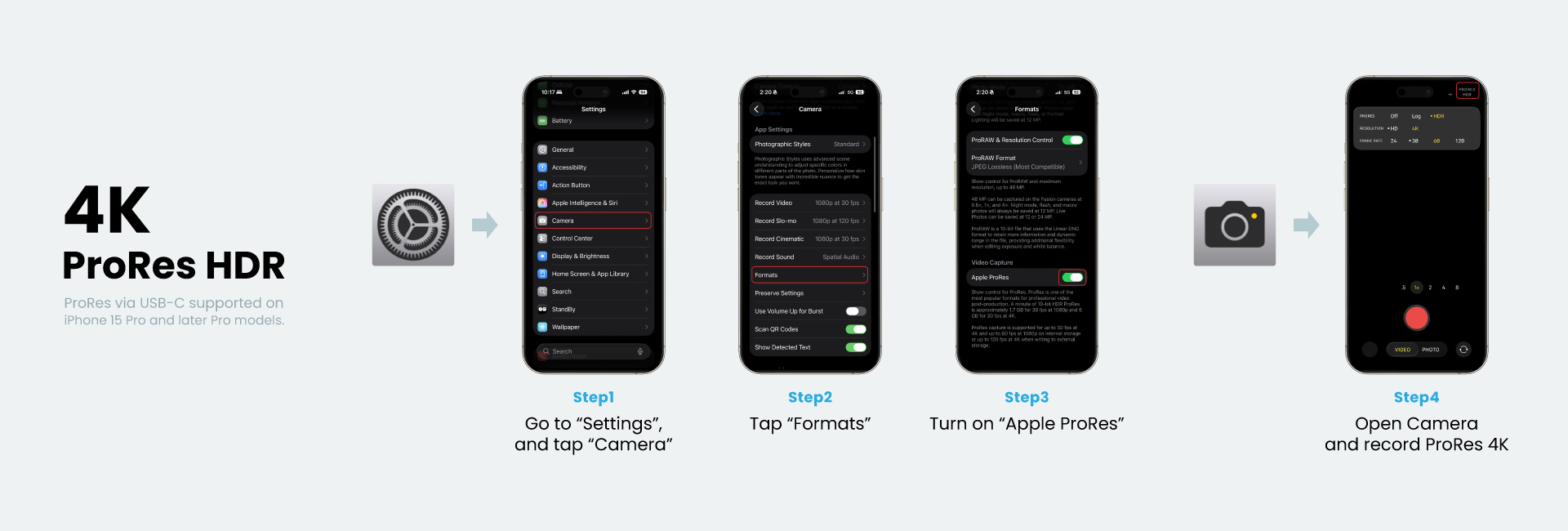
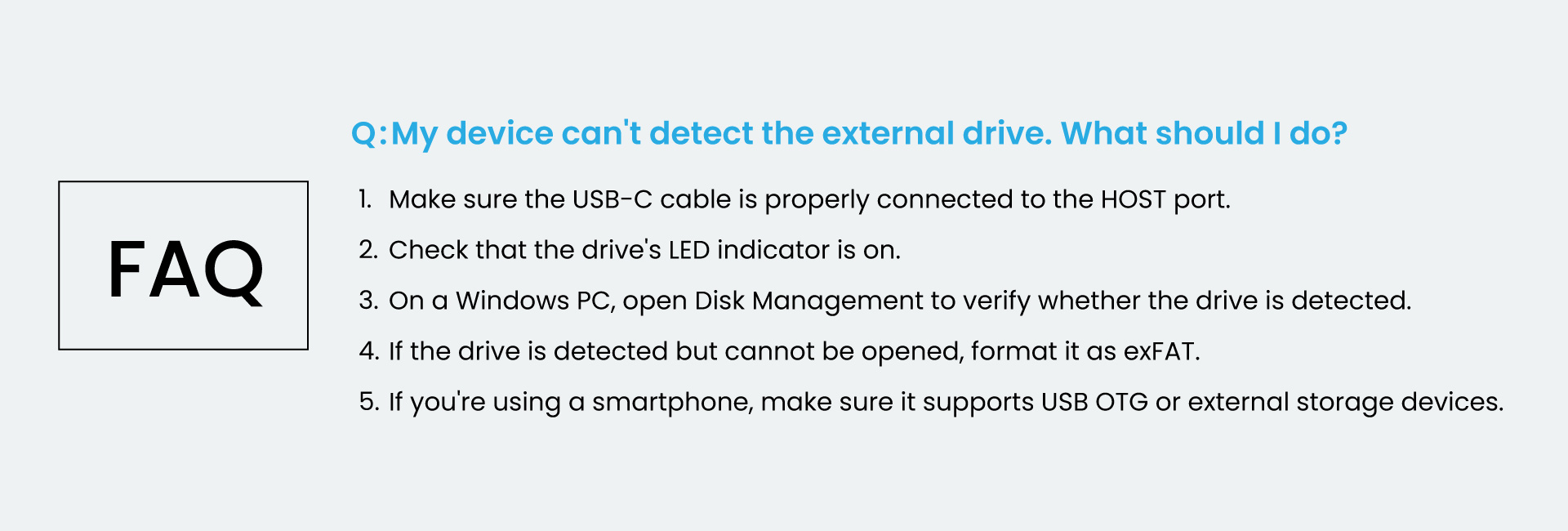
● Note: This SSD may require initialization and formatting before first use.
Please refer to our FAQ: How to Initialize & Format Your SSD
Please refer to our FAQ: How to Initialize & Format Your SSD
● Actual usable capacity may be less than advertised due to formatting, system requirements, and other factors.
● Transfer speeds are based on internal testing. Actual performance may vary depending on host device, interface, firmware version, hardware configuration, usage conditions, and storage capacity.
● To prevent data loss, back up important files regularly.
● Before purchase, ensure your device supports the required format, capacity, and interface.
● We reserve the right to modify specifications without prior notice.
Interface
USB 3.2 Gen2 10Gbps (Type C)
Form Factor
Portable SSD
Storage Capacity
512GB, 1TB
Performance
512GB : up to 950MB/s read, 900MB/s write
1TB : up to 950MB/s read, 900MB/s write
1TB : up to 950MB/s read, 900MB/s write
Voltage
4.75V - 5.25V
Operating temperature
25° – 40°C
Storage temperature
-25° – 85°C
Product Dimensions
60mm(L)*60mm (W)11.2mm(H)
System Compatibility
Windows : 7 / 8.1 / 10 / 11
Linux : Linux kernel 2.4 and later version
MAC OS : Mac OS X 10.8 and later version
Linux : Linux kernel 2.4 and later version
MAC OS : Mac OS X 10.8 and later version
Warranty
3 years from the date of purchase
1.【Storage Setup】How to Initialize & Format Your SSD / Portable SSD+
【English】
⚠️ Formatting will erase all data stored on the SSD. Please back up your data before proceeding.
Initialization & Formatting Video Tutorials
Portable SSD (For iPhone Users)
If you plan to use your Portable SSD with an iPhone, we recommend formatting it as exFAT on a Windows PC or Mac before use.
The exFAT file system provides excellent compatibility across iOS, macOS, Windows, and Android, making it the recommended format for use with iPhone.
- Windows: When formatting, we recommend setting the Allocation Unit Size to 1024 KB.
- macOS: In Disk Utility, erase the drive, select exFAT as the format, and choose GUID Partition Map as the scheme.
Quick Tip
- Internal SSD (installed on motherboard): Compatible with Windows PCs only. Use NTFS format.
- External SSD (via enclosure): Works with Windows and macOS. Use NTFS for Windows, or exFAT for cross-platform compatibility.
【繁體中文】
⚠️ 重新格式化將會清除 SSD 內所有資料,請務必先完成備份。
初始化 & 格式化影片教學
外接式固態硬碟(iPhone 使用者)
若您的外接式固態硬碟預計搭配 iPhone 使用,建議先於 Mac 或 Windows 電腦上重新格式化為 exFAT。
exFAT 格式可於 iOS、macOS、Windows 與 Android 間提供良好的相容性,是搭配 iPhone 使用的建議格式。
exFAT 格式可於 iOS、macOS、Windows 與 Android 間提供良好的相容性,是搭配 iPhone 使用的建議格式。
- Windows:格式化時,建議將「配置單位大小(Allocation Unit Size)」設定為 1024 KB。
- macOS:於「磁碟工具程式」中將磁碟抹除,格式選擇 exFAT,建議選擇 GUID 分割區圖。
快速指南
- 內接式 SSD(裝在主機板上):僅支援 Windows,建議使用 NTFS 格式。
- 外接式固態硬碟:若僅使用 Windows,建議使用 NTFS。
若需跨平台(Windows、macOS、iPhone、Android),建議使用 exFAT。
2.【PSSD】What’s in the box?( MU P100 / NR P100 )+
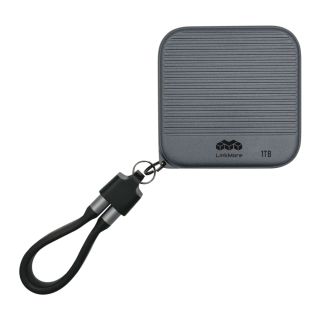
Includes a portable SSD, a USB-C to USB-C cable, and a built-in Easy-Stow cable slot (for storing the cable).
3.【PSSD】Why doesn’t it work when I plug it in?( MU P100 / NR P100 )+
Make sure to connect the SSD using the “Host” port. The power port only passes through power and won’t activate the SSD by itself.
4.【PSSD】Can this SSD charge my phone directly?( MU P100 / NR P100 )+
No. It doesn’t supply power, but the second USB-C port can pass through power from an external source for charging while recording.
5.【PSSD】Can I hang it using the cable slot?( MU P100 / NR P100 )+
Not recommended. The cable slot is for easy storage and quick access to the cable. It’s not designed to support weight and should not be used for hanging.